 COCKPIT
What Cockpit does
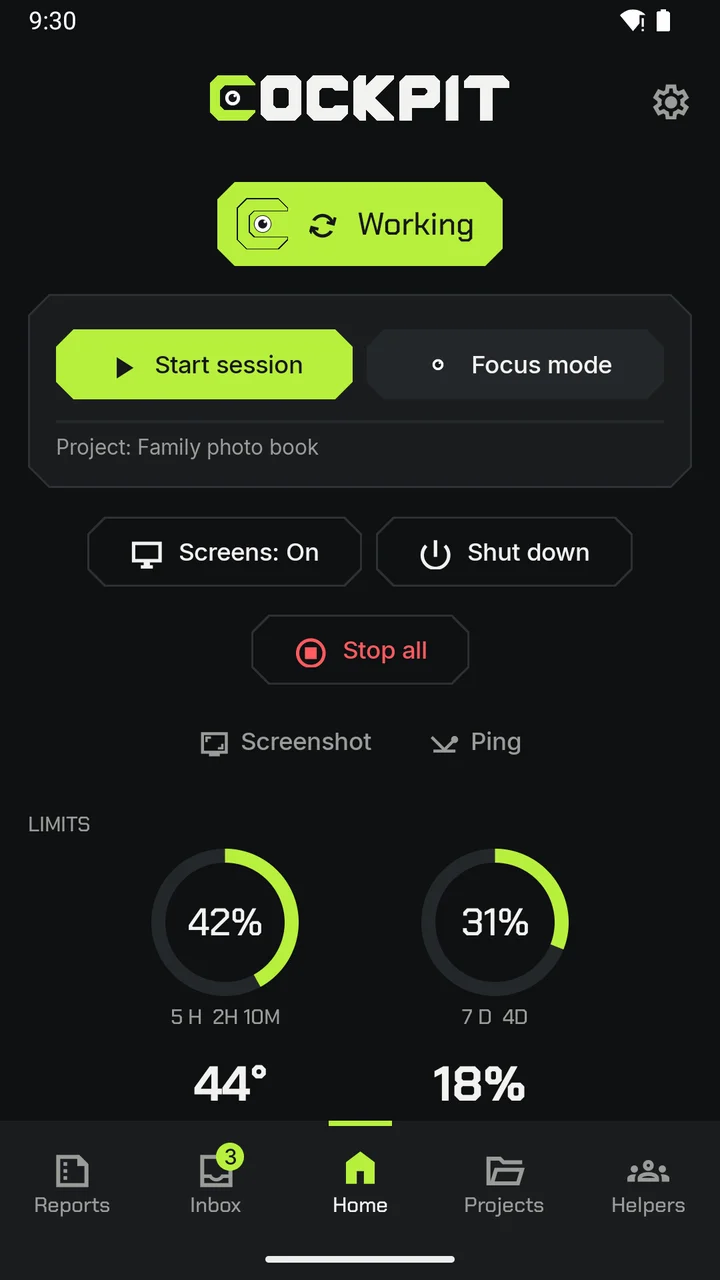
Cockpit follows the work your AI assistant does on your Windows PC and shows it on your Android phone or tablet, in plain words.
Your PC at a glance.
One word says where things stand: off, starting, on, working, paused or in Focus mode. If your PC is off, the app shows when it was last seen.
- Start a session on a project, or stop every session at once (it asks you first).
- A home-screen widget shows your PC's status.
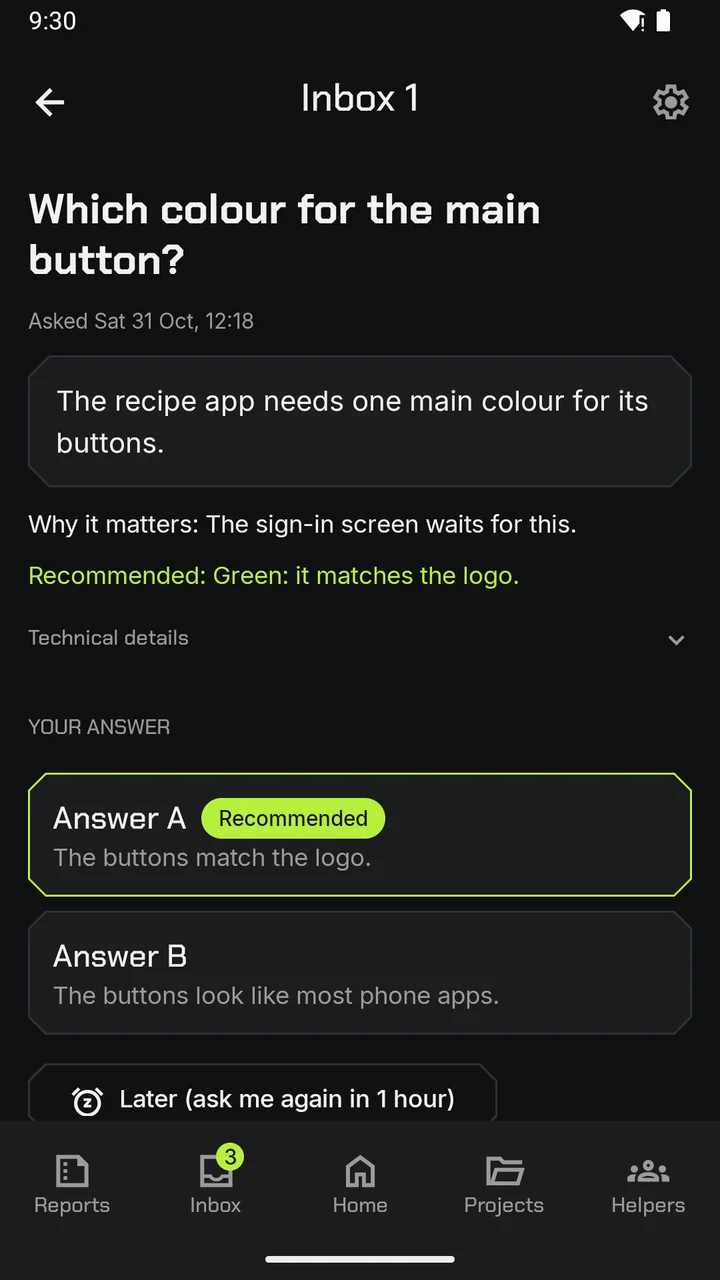
Answer in one tap.
When a session asks you something, a notification tells you. The recommended answer is marked, and you can answer right from the notification.
- A notification when a session asks a question, waits for you, finishes a queued run, or nears its usage limit.
- One switch turns the sounds on or off.
- Quiet hours hold ordinary notifications until they end.
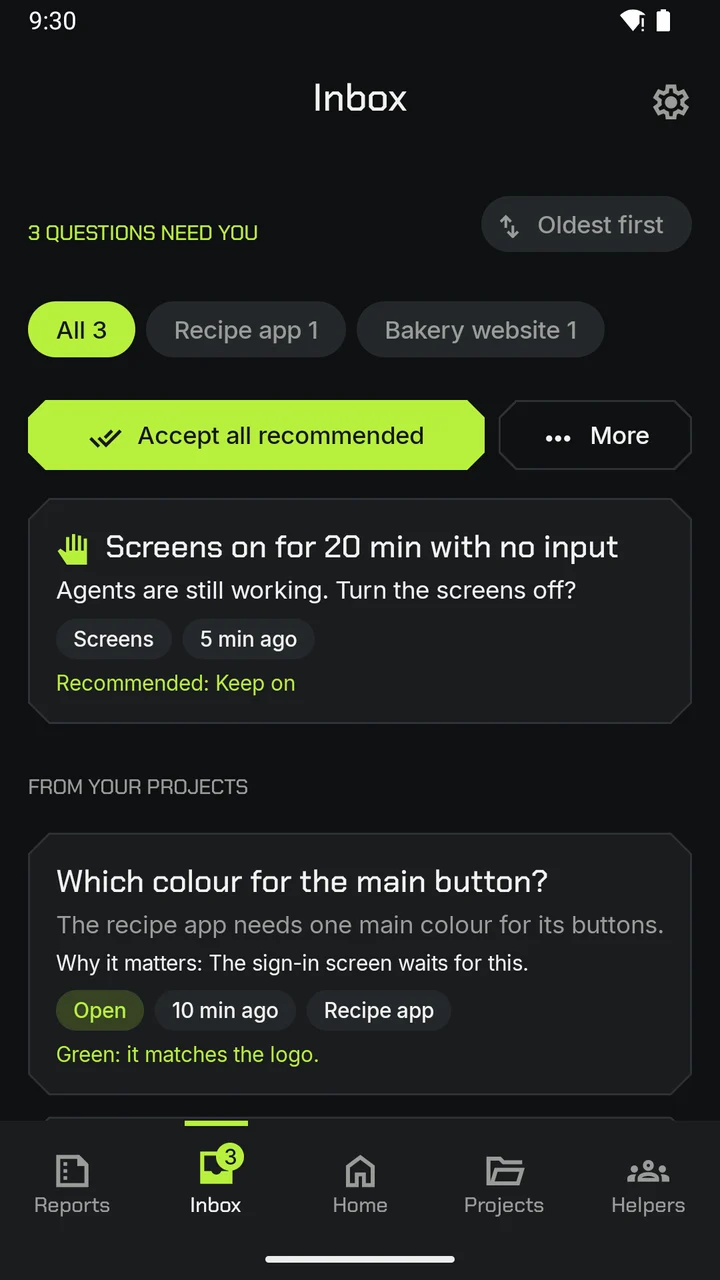
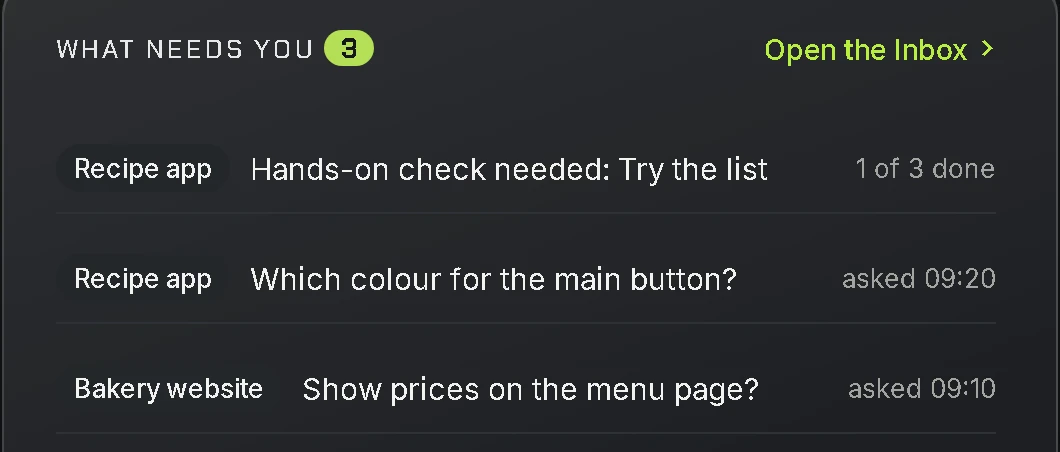
Everything that needs you, in one place.
The Inbox gathers every question and every hands-on checklist your sessions leave for you. Tick off each step as you do it.
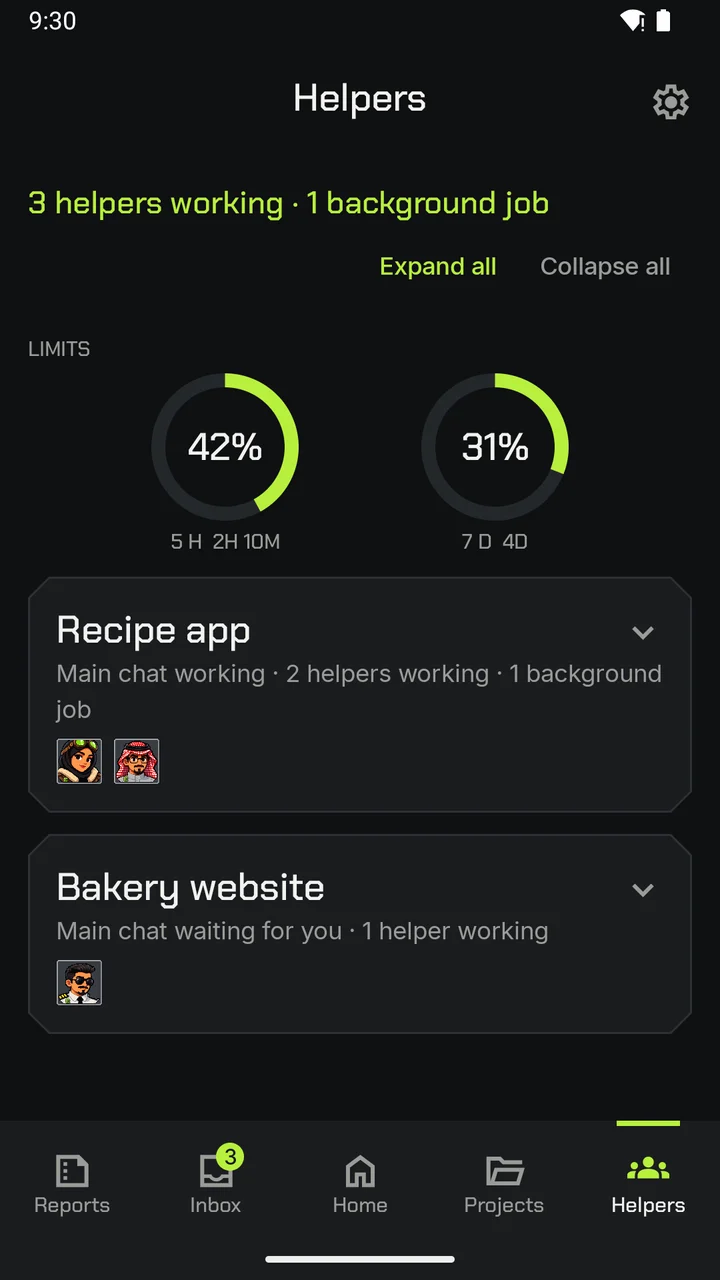
Meet the helpers.
A session can run several AI helpers at once. Each one has a face, so you can see who is working, who has finished and who is waiting for you.
- Two rings show how much of each limit in your AI plan is used, and when each one starts again.
Reports in plain words.
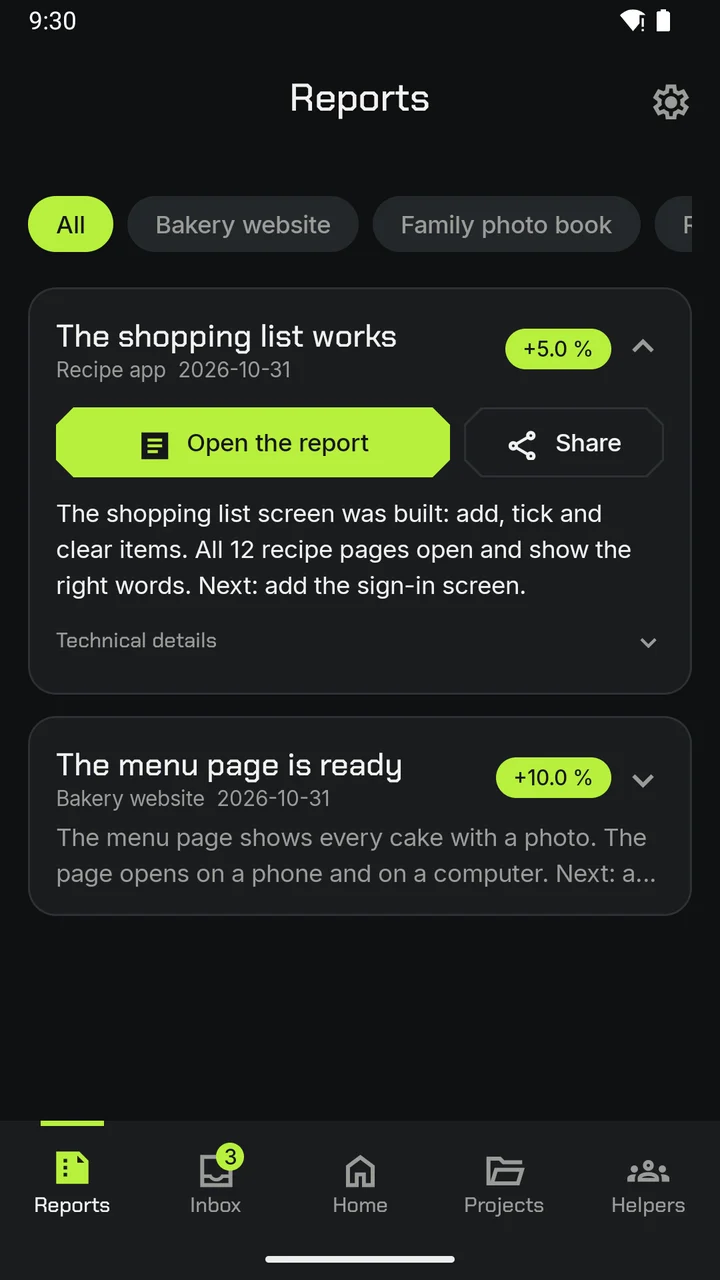
When a run ends, you get a short report: what was done, what was checked and what comes next. Open it with its pictures, or share it as one package: a PDF and the pictures.
Your projects, side by side.
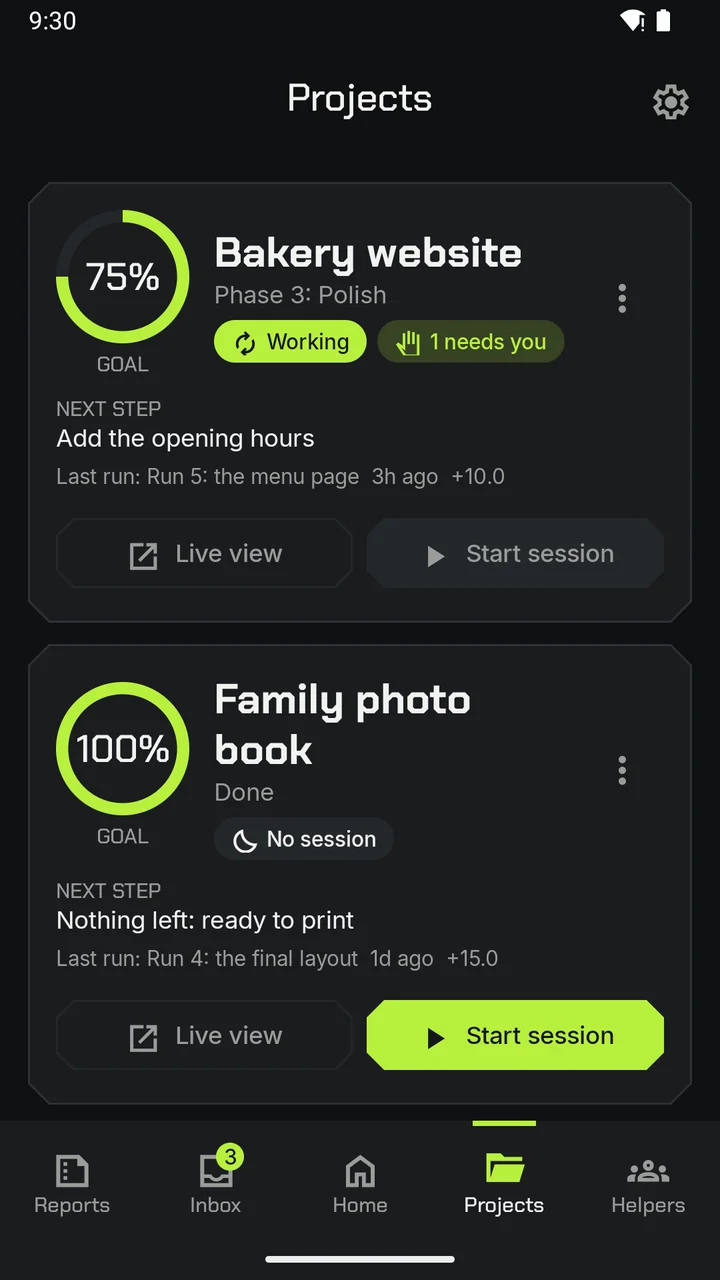
See each project's progress, its next step and when it last ran. Start a new session on any project from your phone.
The app's real screens, with demo projects.
Your PC, safely.
Nothing turns your PC on or off by itself. Every power action starts with you.
- Turn your PC's screens off or on.
- Shut down, restart or put your PC to sleep. Each one asks you to confirm, uses your fingerprint or screen lock if you have one, and gives you 60 seconds to cancel.
- Wake your PC from anywhere.
- Take a quick picture of what is on your PC's screens.
The free PC app.
Cockpit on your PC shows the same sessions, with a small status pill on your desktop.
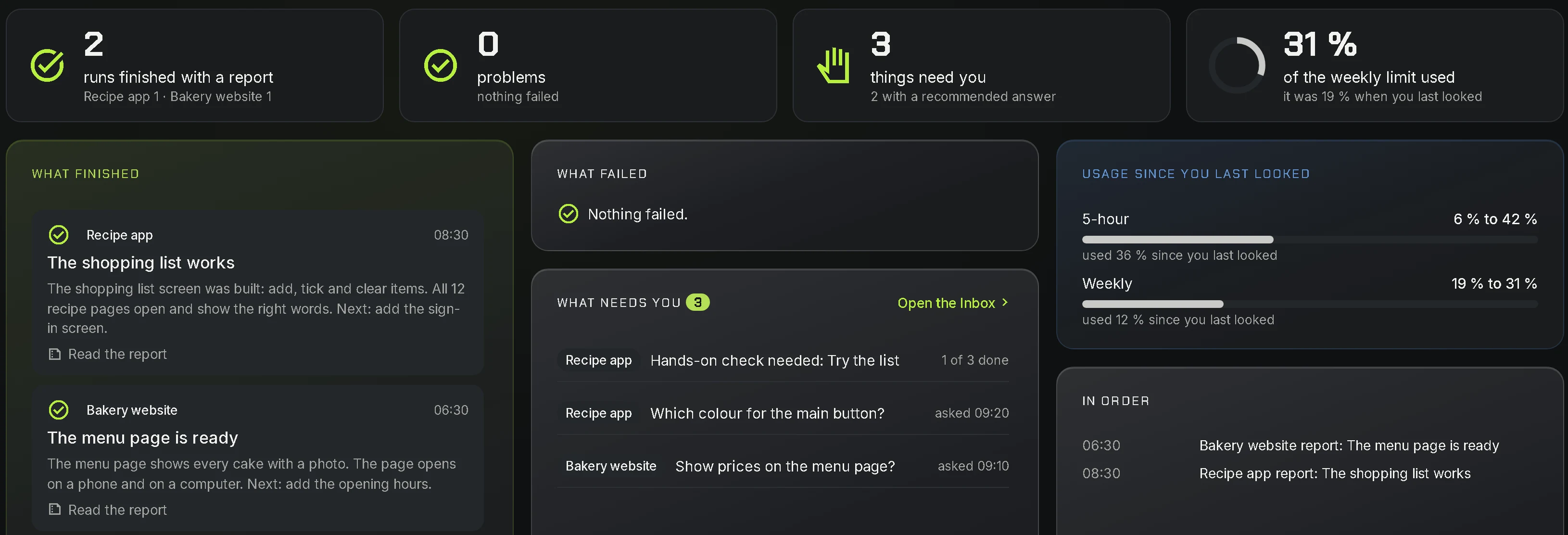
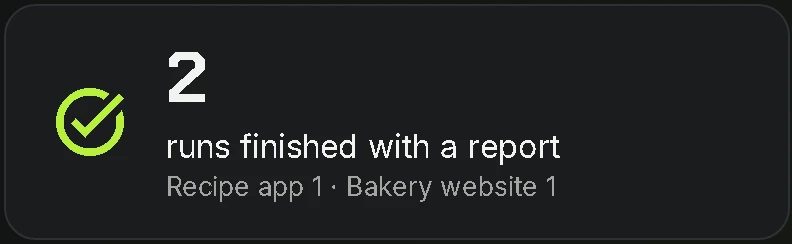
- While you were away: one page shows what finished, what failed and what needs you.
- Simple view for every day, Advanced view when you want every detail.
- In English or Arabic.
Private by design.
- No ads, no tracking, no analytics.
- Your account's data is stored in the European Union (Google sign-in runs in the United States), and it always travels encrypted.
- Live progress and screen pictures pass through to your phone and are not stored.
- Cockpit never sends your files, your code or your full conversation with the AI.